Piko
Piko Explore prompt ↗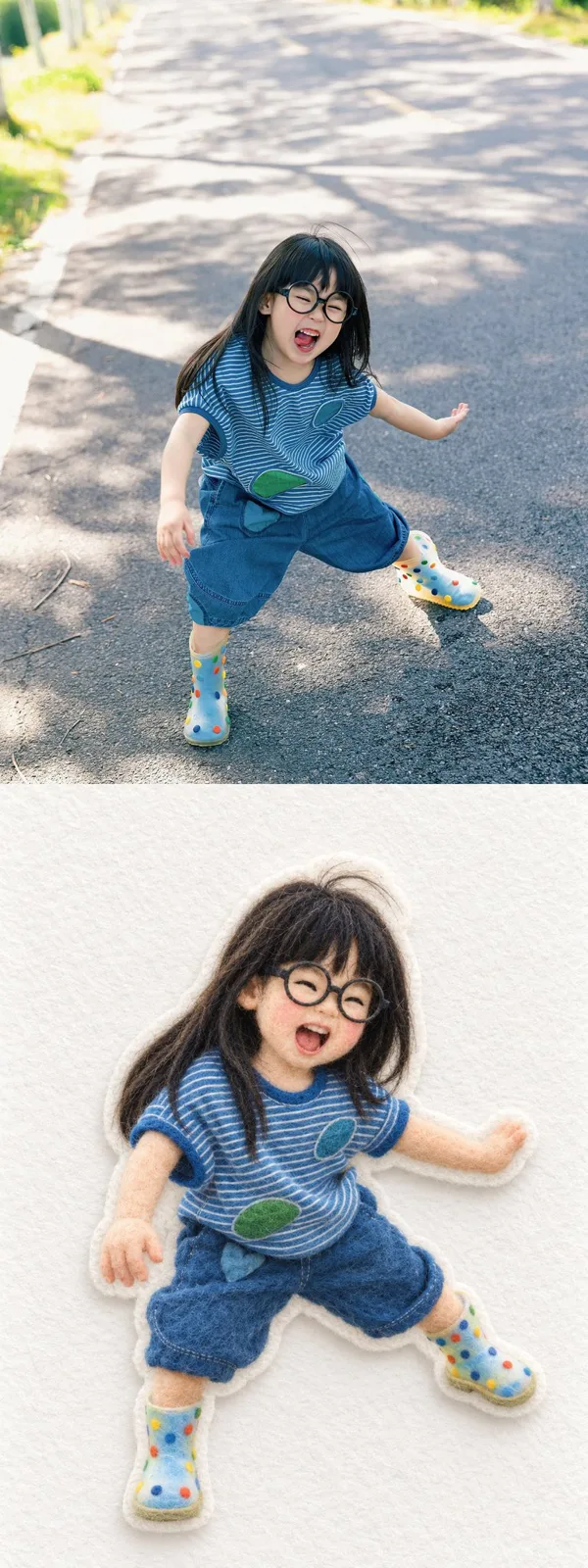
ChatGPT
PhotographyChatGPT
Needle felted wool applique transformation
Creator @ai_suxiaole
Prompt
Use the single uploaded photograph as the sole content source. Output only one transformed image—do not include the original photograph, a before-and-after comparison, split layout, collage, divider, frame, caption, or explanatory text. Preserve the source image’s aspect ratio and framing.

Transform the photograph’s principal subjects and all objects essential to their action into charming handcrafted needle-felted wool appliqué characters. Preserve the exact number of people and animals, their relative sizes, left-to-right order, pose, gesture, gaze direction, body orientation, interaction, overlap, spacing, and emotional meaning. Faithfully retain recognizable hairstyles, hats, clothing categories, garment colors, patterns, footwear, accessories, handheld objects, and unusual improvised objects. Preserve interaction-defining items such as poles, nets, baskets, toys, tools, or props, including how they connect to or cover the subjects. Do not add, remove, duplicate, merge, or replace any important person, animal, limb, accessory, or object.

Simplify each person into a warm miniature wool doll while retaining enough identity cues to distinguish every individual. Use softly rounded proportions, a slightly enlarged head, compact body, small black stitched eyes, minimal eyebrows and mouth, subtle rosy cheeks, and simple but natural hands and feet. Preserve the original age category and expression. Do not turn adults into children or make every face identical. When a face is partially hidden by a hat, basket, net, hair, hand, or another object, preserve the same occlusion instead of inventing a fully visible face. Render animals with the correct species, count, size progression, posture, coloring, beaks, ears, tails, and direction of attention.

Construct every transformed subject from tangible wool fibers using needle felting, soft yarn embroidery, fuzzy felt, and dense stitched details. Show visible interlocked fibers, gently uneven handmade surfaces, tiny changes in fiber direction, rounded padded volume, soft edges, and restrained tactile relief. Recreate clothing with layered felt pieces and fine stitched outlines, preserving only the patterns and seams necessary for recognition. Render long thin props as firmly rolled or embroidered yarn. Preserve open lattice objects with clearly interwoven felted cords. Avoid photorealistic skin, smooth digital painting, plastic toys, clay, glossy materials, crochet styling, flat vector graphics, or hard 3D rendering.

Remove the photographic environment and isolate the transformed subjects on a softly textured white or warm ivory fabric background. Preserve the source’s essential subject arrangement and action while eliminating buildings, roads, fields, furniture, bystanders, signs, and incidental clutter unless an environmental element is necessary to understand the interaction. Surround each connected subject group with a narrow white felt backing, creating a premium handmade sticker or appliqué appearance. Use clean die-cut contours, a subtle raised edge, and a soft diffuse shadow falling slightly down and to the right. Keep generous negative space and center the composition without changing the subjects’ relational geometry.

Use a soft, muted palette sampled from the source photograph. Preserve important color contrasts and signature garments while slightly reducing saturation to suit natural wool. Illuminate the scene with bright diffused studio light from the upper left, minimal contrast, delicate contact shadows, and a calm high-key editorial finish. The result should feel cozy, playful, collectible, meticulously handmade, and photographed directly from above.

Avoid text, captions, logos, signatures, watermarks, borders, additional scenery, invented props, malformed anatomy, duplicated limbs, missing subjects, incorrect animal counts, generic clothing, excessive facial detail, harsh shadows, oversaturated colors, and smooth synthetic surfaces. Output only the completed needle-felted transformation.
Copy the text, add your own details, and try it in your image model.