Piko
Piko Explore prompt ↗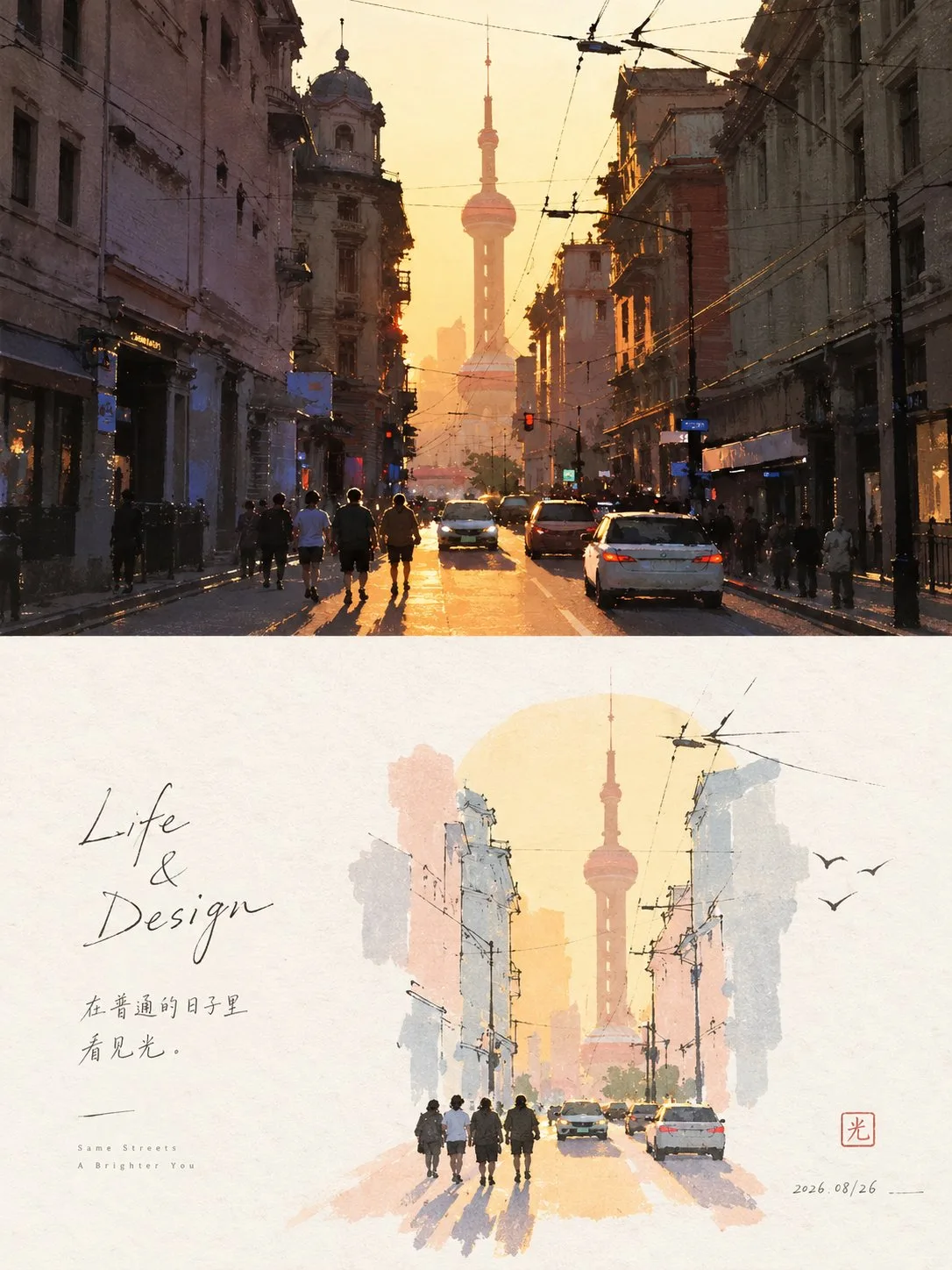
ChatGPT
DesignChatGPT
Artistic poster reconstruction minimalist collage prompt
Creator @xiaoxiaodong01
Prompt
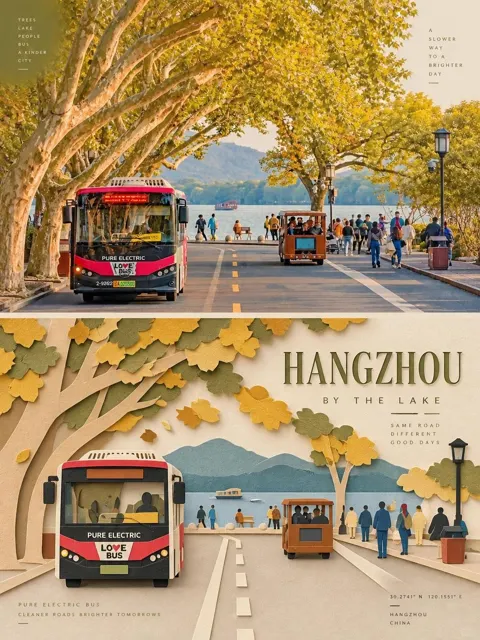
Please turn each photo I upload into an independent high-end design poster, no multi-photo stitching, output each photo separately. Use a 3:4 vertical composition overall, with the top and bottom two areas strictly 1:1 in height, each occupying 50% of the screen.

The upper part retains the original photo, maintaining the subject's identity, structure, posture, real texture, natural light and shadow, and the original color atmosphere, with only slight high-end color grading. To adapt to the frame, the environmental background can be naturally extended, but the subject must not be stretched, distorted, or changed.

The lower part should not be redrawn based on the photo; instead, first determine one core theme, one visual anchor, and one emotional relationship truly worth preserving from the original image, and boldly delete the rest of the information. Even if the original photo's composition is ordinary, cluttered, or like a failed shot, redesign the scale, position, cropping, direction, and element relationships of the subject to reconstruct the original material into an independently established artistic screen. Retain only the contours, trends, postures, and visual memory points most representative of the original object, so that people can feel the connection with the photo above at a glance, but the lower part possesses better composition and artistic expression than the original image.

The art style adopts fine-line hand-drawing + light watercolor flat wash + paper texture + light collage. The subject is identified with a few simple outlines, with very few necessary lines left inside; colors are summarized with light, thin, calm large color blocks, without painting realistic details. A very light theme base color block can be added to support the subject, and the subject is allowed to pierce through, cross, or cut off the edges of the color block, forming a natural editorial collage relationship.

The composition emphasizes small-scale stamps + large areas of intentional white space. The subject can be off-center, edge-aligned, suspended, partially cropped, or change its position from the original photo, not pursuing complete presentation. The white space area is significantly larger than the painted area and participates in the composition as a real graphic, forming positive and negative shapes, distance, direction, gathering and scattering, and asymmetric balance with the subject. Better to delete the environment than to fill the layout; let the white space be responsible for air, space, pauses, and emotions.

The color scheme extracts 2–4 most vital and recognizable colors from the photo above and reformulates them into a high-brightness, clear, and soft pastel system, such as mint green, young leaf green, mist pink, light purple, cream yellow, soft blue, apricot, etc., varying naturally according to the original image. The background remains an extremely light, near-white paper color; the subject and the base color block must be clearly visible, not gray, dirty, or blurry.

Only a very small amount of symbolic small elements derived from the emotion or theme of the original image are allowed around, expressed in one or two strokes, not copying real objects, nor decorating for the sake of filling space. Text is also minimal, no language restriction, a small number of words and sentences can be freely generated from the subject, action, emotion, memory, or metaphor, entering the white space in a slender, natural, slightly handwritten-type font, constituting the layout together with the subject.

The overall focus is not "painting the photo out," but "redirecting the scene after refining the soul of the original image": few elements, strong theme, small subject, large white space, light lines, light color blocks, smart reconstruction. Avoid object-by-object redrawing, complete backgrounds, accumulation of details, overly large subjects, filled screens, realistic depiction, smooth vectors, and templated layouts.
Copy the text, add your own details, and try it in your image model.