Piko
Piko Explore prompt ↗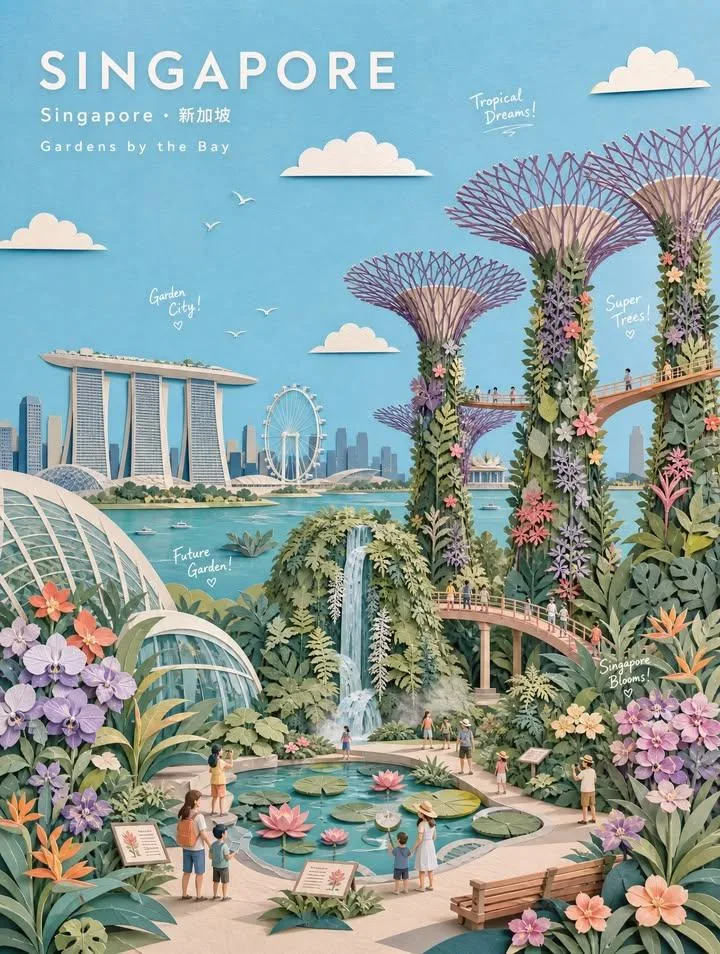
ChatGPT
DesignChatGPT
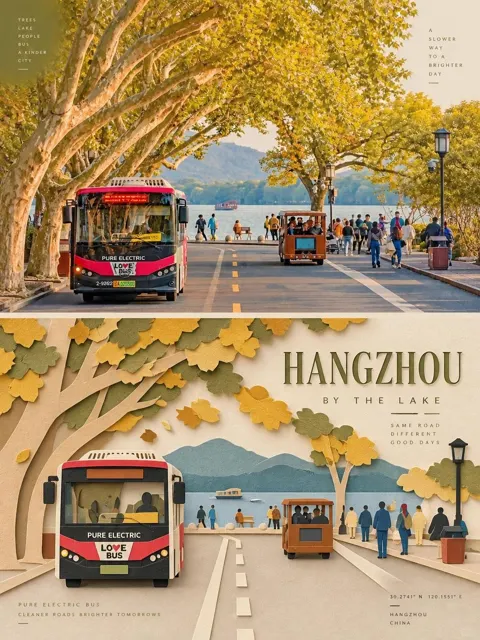
3d paper collage botanical travel poster
Creator @kingofdairyque
Prompt
Create a museum-quality handcrafted 3D paper-collage botanical travel poster of [CITY/LOCATION], [COUNTRY], reimagined as a dreamy [BOTANICAL THEME] garden paradise.

CORE CONCEPT
Represent the [seasonal/cultural] spirit of [LOCATION] through its famous [botanical features], charming garden atmosphere, and 2-3 iconic botanical elements. Each overlapping [leaf/petal/plant element] creates a distinct paper-cut layer, emphasizing the natural depth of botanical collage art.

STYLE
- Minimal pastel paper-collage illustration
- Layered paper-cut artwork with emphasis on overlapping [botanical elements]
- Paper diorama aesthetic with subtle 3D relief
- Flat geometric color shapes with clean silhouettes
- Soft tactile paper texture, visible paper grain, matte gouache finish
- Gentle cut-paper shadows
- Storybook botanical-poster mood
- Premium editorial illustration
- Whimsical garden atmosphere
- NO photorealism, NO CGI, NO glossy rendering

COMPOSITION
- Wide landscape or portrait format
- Large open pastel sky (35-45% of composition)
- Clear foreground, midground, background layers
- Generous breathing space, balanced negative space
- Relaxed, elegant, cheerful composition (never overcrowded)

FOREGROUND (35-40% of composition)
Place 2-3 representative botanical features as primary subjects:

[BOTANICAL FEATURE 1] = [Main flower/plant field with overlapping layered petals/leaves]
[BOTANICAL FEATURE 2] = [Garden market stall/greenhouse/structure with botanical displays]
[BOTANICAL FEATURE 3] = [Secondary botanical element - herb garden/tree grove/water feature]

Add location-specific garden objects:
- [Cultural garden items: e.g., flower market stall, garden tools, pottery, bicycle, watering cans, benches, etc.]

MIDGROUND
Create simplified [location]-themed botanical garden environment:
- Winding garden pathways
- Layered paper trees with seasonal foliage
- Tiny paper people (families, couples, children, gardeners)
- Festival bunting
- Decorative fences
- Waterways if appropriate
Keep all elements minimal, graphic, clean, paper-crafted

BACKGROUND
Feature simplified paper-cut versions of:
[PRIMARY LANDMARK] = [Main iconic landmark]
[SECONDARY LANDMARKS] = [Supporting landmarks - 2-4 items]

Landmarks should support the botanical narrative without dominating
Keep architecture elegant, simplified, instantly recognizable

SKY
- Large pastel sky
- 2-5 simple paper clouds
- Tiny paper birds/butterflies
- Optional small paper elements floating
- Calm, airy, cheerful atmosphere

COLOR PALETTE
Base colors:
soft sky blue, warm cream, light beige, off-white, powder mint, sage green, dusty coral, soft peach, pale stone gray, butter yellow

Plus location-specific accent colors:
[CITY ACCENT COLORS] = [3-5 signature colors of the location]

BOTANICAL COLORS
Use soft garden-inspired pastel tones (never hyper-saturated)
Keep colors refined, nostalgic, editorial
Each petal/leaf is a separate paper layer with visible edges

TYPOGRAPHY
Upper-left corner:
[CITY NAME in English]
Below: [Local Language Name] · [English Name]
Below: [Botanical Garden Series Title]

White geometric sans-serif typography
Wide letter spacing, minimal, elegant, poster-like

DOODLE TEXT
Add 3-5 small handwritten white doodle captions naturally integrated:
Examples: "[Greeting]!", "Hello [City]!", "[Botanical element] Dreams!", "[Season/Theme] Magic!", "Bloom Day!"

Use playful handwritten white doodle style
Keep doodles small, airy, charming (not overcrowded)

LIGHTING
Bright soft [time of day] daylight
Warm ambient illumination
Clean atmosphere, soft shadows, gentle paper depth
Optimistic [season/mood] garden mood

MOOD
dreamy, collectible, travel-inspired, cultured, optimistic, whimsical, refined, premium, editorial, botanical, nostalgic, family-friendly

AVOID
photorealism, crowded garden scenes, heavy outlines, advertisements, brand logos, watermarks, neon colors, dark lighting, messy details,
Copy the text, add your own details, and try it in your image model.